
10 Restaurant Marketing Strategies to Win Your Market
Some of the best restaurant marketing strategies include creating short videos, ...

Cell phones are an integral part of everyone’s personal and professional lives these days. But the ubiquity of this technology has created a unique set of issues that you may not have addressed in your employee handbook. That’s why it’s vital to create a cell phone policy at work.
Issues regarding cell phone use at work that can affect your business include:
These problems can have consequences for businesses of all types and sizes. Don’t assume that only businesses with multiple employees should implement a cell phone policy. Even if you have only one employee, you need a cell phone policy.
But how do you go about creating your own cell phone policy at work? The experts at Sling reveal everything you need to know and provide a template to get you started.

Here are five simple steps for implementing your own cell phone policy at work.
You should always put your cell phone policy in writing, make it a part of your employee handbook, and have everyone sign that they understand it. Include language that covers all technology that can access the internet and send and receive phone calls and texts.
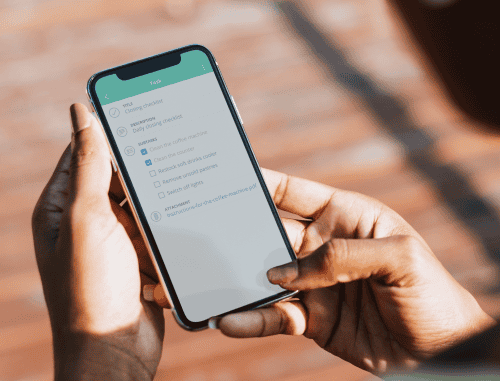
To make sure everyone reads the new material, you can use Sling’s Task feature to create a to-do list for you and your employees. You can even set a due date and send reminders as the date approaches.
Security is important, so it’s vital to address security concerns in your cell phone policy. You should also mention accountability so employees know that termination is a possibility if they break the rules.
Remember to include guidelines for when team members may use their personal cell phones during work hours.
Be specific when enumerating what types of cell phone use at work your employees are not permitted to conduct. Include items such as:
To give you an idea of how to incorporate all the necessary information in your cell phone policy, we’ve created a policy template below. Feel free to tailor this template to your specific business, and when you need to make updates, use Sling’s Newsfeed feature to alert all your team members.
Once you’ve created your cell phone policy, distribute it to everyone in multiple formats. Send an email to all employees that includes the text of the policy or a link where they can view it. If it’s not cost prohibitive, print the cell phone policy and make sure all your team members receive a hard copy.
Finally, use Sling’s Messages feature to send the cell phone policy to all your employees so they can stay informed.
As with every other company policy, your employees need to know that you will enforce the rules consistently and at all times. Your cell phone policy applies to each and every team member from the newest hire up to the owner of the business.
If exceptions are necessary, explain your reasoning to each and every employee so they can learn from the situation.
<Insert company logo, name, and/or information here>
This employee cell phone policy outlines guidelines for using cell phones and other mobile devices at work.
We recognize that smartphones are an integral part of everyday life and are a great asset if used for productivity apps, calendars, business calls, and the like. But smartphones are a detriment to focus and efficiency if used unwisely and excessively during business hours.
Our cell phone policy applies to all owners, managers, and employees.
Employees who use smartphones excessively during work hours may:
<Insert company name here> expects all employees to use cell phones in a sensible manner during work hours.
Employees are allowed to:
<Insert company name here> reserves the right to monitor employees for inappropriate and/or excessive use of cellular devices. If device usage results in a decline in productivity or interferes with normal business operations, management will suspend the employee’s right to use a cellular device.
Employees are subject to severe disciplinary action (up to and including termination) in cases where they:
<Insert company contact information here>

Having a cell phone policy at work is about more than just making rules. It’s about building a culture where everyone can do their best work.
When phones are buzzing every few seconds, it can be hard for even the most tenacious person to stay focused on the task at hand.
So, by setting clear boundaries, you’re actually helping your team, not depriving them of something. In fact, most people feel better at the end of the day when they know they were productive.
A good cell phone policy gives your team permission to ignore their notifications and focus on the person or project right in front of them. And, it levels the playing field so that the hardest workers aren’t distracted by a teammate who is constantly scrolling through their feeds.
When you implement a cell phone policy at work, you should also think about the legal and privacy side of things.
In today’s data-driven world, a simple text message sent during work hours can sometimes be used in a legal case (a.k.a. discovery). This means that if your business ever faces a lawsuit, personal phones can and may be checked for work-related messages.
To protect your business and your employees’ privacy, encourage the use of official business communication tools like Sling. When all work-related chats, schedules, and tasks happen inside a dedicated app, it keeps personal lives separate from professional ones.
For many businesses, a cell phone can be more than just a distraction. It can be a safety hazard. If your team works in a kitchen, a warehouse, or around heavy machinery, a split-second distraction can lead to a serious accident.
To prevent this from happening, your cell phone policy should highlight high-risk areas where phones are strictly prohibited for safety reasons (sometimes called “Zero-Tolerance Zones”).
For example, if you have delivery drivers on your team, your policy must be very clear about phone use while operating the vehicle. Even hands-free devices can take their mind off the road and lead to an accident.
When you emphasize that safety is your first priority, your employees will understand that these rules aren’t about being bossy. They’re about making sure everyone goes home safe at the end of their shift.

One of the most important things to keep in mind about your cell phone policy at work is that it only works if leadership follows it, too. If a manager tells the team to put their phones away but then spends the whole morning texting at their desk, the policy will fail.
Management needs to model the behavior they want to see and lead by example. When they do, it shows the rest of the team that the work is the most important thing between 9:00 and 5:00.
If a manager needs to use a phone for a business reason, like checking a shift on Sling, they should be transparent about it and explain what they’re doing.
This lets the team know that the device is being used as a tool, not a toy, helps build trust, and shows that the rules apply to everyone.
Don’t just hand a new hire a thick packet of paper with all your company policies and expect them to remember every detail. Take the time to talk through the expectations during the first few days and explain the “why” behind the rules as part of your onboarding program.
It can also be beneficial to retrain your team at least once a year to reinforce the cell phone policy at work and keep all the details front-of-mind.
By investing time in training early on (and regularly thereafter), you prevent misunderstandings and accidental/unintentional violations before they ever start.
Technology changes fast. In just a few short years, businesses have seen the introduction of smart glasses and advanced AI assistants on their employees’ wrists. Who knows what the next few years will bring.
Because the pace of technology moves so quickly, it’s essential that you view your cell phone policy as a living document. That means you should sit down at least once a year to examine the rules and see if they still make sense for your business.
If you do make changes, use a business communication channel (like Sling’s Newsfeed, Messaging, or Announcements feature) to announce what’s new and explain why you made the change.
This keeps everyone in the loop and shows them that you’re paying attention to the business landscape and the potential impact that new tools can have on their work.
As we’ve discussed, a carefully crafted cell phone policy at work not only protects your business from legal issues, but it also improves focus and morale as well.
Your employees will no longer be constantly distracted by incoming texts, phone calls, and alerts on their phones or devices and on those of their colleagues. This makes for a much more productive work environment. That’s good for your team members and your business.
For more management resources and for tools to help you schedule your employees, visit GetSling.com today.
This content is for informational purposes and is not intended as legal, tax, HR, or any other professional advice. Please contact an attorney or other professional for specific advice.
See Here For Last Updated Dates: Link
Wearable tech like smartwatches are becoming just as common as phones, and can be just as distracting. While a quick glance at a notification might seem harmless, constant alerts can ruin an employee’s focus.
A cell phone policy at work should treat that wearable tech the same way it treats a smartphone or a tablet with cellular data. If phones need to be silenced or put away, the same goes for smartwatches.
That said, removing a watch is a bit different than stowing a phone in a drawer, so encourage your team to turn on “Do Not Disturb” mode during their shift. This keeps the tech useful for tracking steps or health, but stops the social media pings from interrupting their workflow.
If your cell phone policy requires employees to keep their devices in a drawer, locker, or the breakroom, you must provide a reliable way for family members to reach them if there’s an emergency.
The best approach is to give employees a dedicated “emergency line” that’s monitored at all times. That doesn’t mean you have to pay for another phone number. It can just be the main office or shop phone that someone answers during regular work hours.
Make sure your team knows that they can share this number with schools or childcare providers, as well as anyone else who might have to get in touch with them on short notice.
By providing a clear backup plan, you reduce “phone anxiety” and help your staff stay focused on their work without worrying about missing important news from home.
Providing a central charging station is a smart way to encourage employees to leave their phones in one spot rather than keeping them in their pockets or in front of them on their desks.
When a device is plugged in across the room, the temptation to “doomscroll” or check social media disappears. However, make sure your policy states that the company isn’t responsible for lost or damaged chargers.
To keep things professional, you might provide labeled docks for each employee (if space permits). This simple perk keeps batteries full for the commute home while keeping your team’s eyes on business tasks during their shift.
Even if an employee is on a scheduled break, what they post can still reflect on your business. To keep this from becoming a problem, include a “Social Media Etiquette” section in your cell phone policy.
Ask employees to avoid posting photos of the workplace that might show private information, such as customer faces or internal documents. Also, remind them that while they have the right to post, anything that looks like they are representing the company should be positive.
This helps protect your brand’s reputation while letting your team enjoy their digital social life on their own time.
Schedule faster, communicate better, get things done.